
Download D-Day Countdown Pro with Live Tile – Countdown Timer, Live Tile, Special Dates, Anniversary Tracker
Overview
D-Day Countdown Pro with Live Tile is a focused utility designed to help users track both upcoming and past special events with clarity and simplicity. The app serves as a digital calendar companion for birthdays, anniversaries, project deadlines, and historical milestones. By offering a visual countdown mechanism, it addresses the common challenge of forgetting significant dates, especially when multiple events are involved. The target audience includes individuals seeking a no-frills, efficient way to stay aware of personal or professional dates without relying on full-featured calendar apps. The developer did not provide additional background information, but the app’s longevity—first released in 2015—suggests consistent functionality and user trust over time. Real-world use cases include tracking wedding anniversaries, school exam dates, or even historical events like D-Day, which inspired the app’s name. In the mobile utility ecosystem, D-Day Countdown Pro occupies a niche by combining minimalism with customizable visual feedback via Live Tiles, making it a valuable tool for users who prefer direct, at-a-glance access to date tracking.
Key Features & Functionality
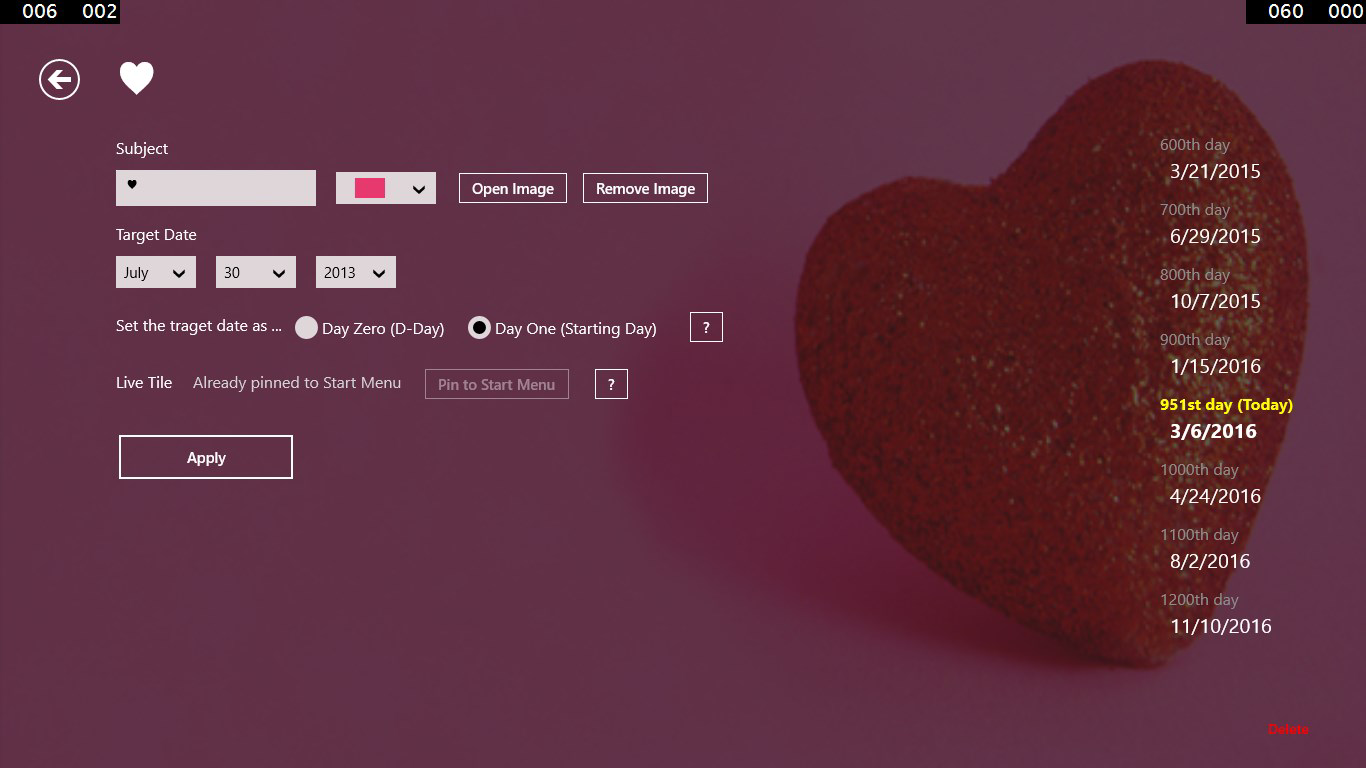
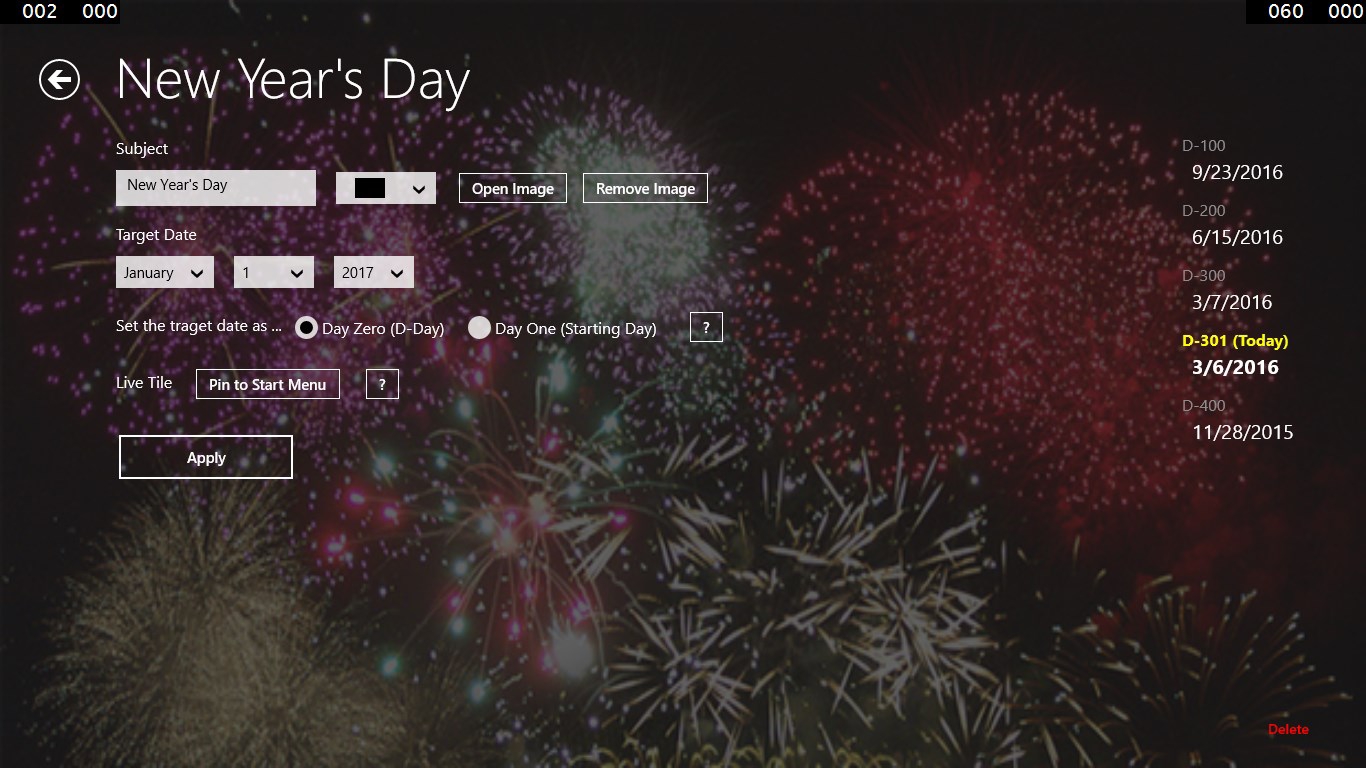
- Countdown Remaining or Passed Days: Users can choose to count down to a future event or track how many days have passed since a past occasion. The option to start from day one or day zero allows for flexible planning based on personal or cultural preferences, such as counting a birthday from the moment it occurred or from the day before.
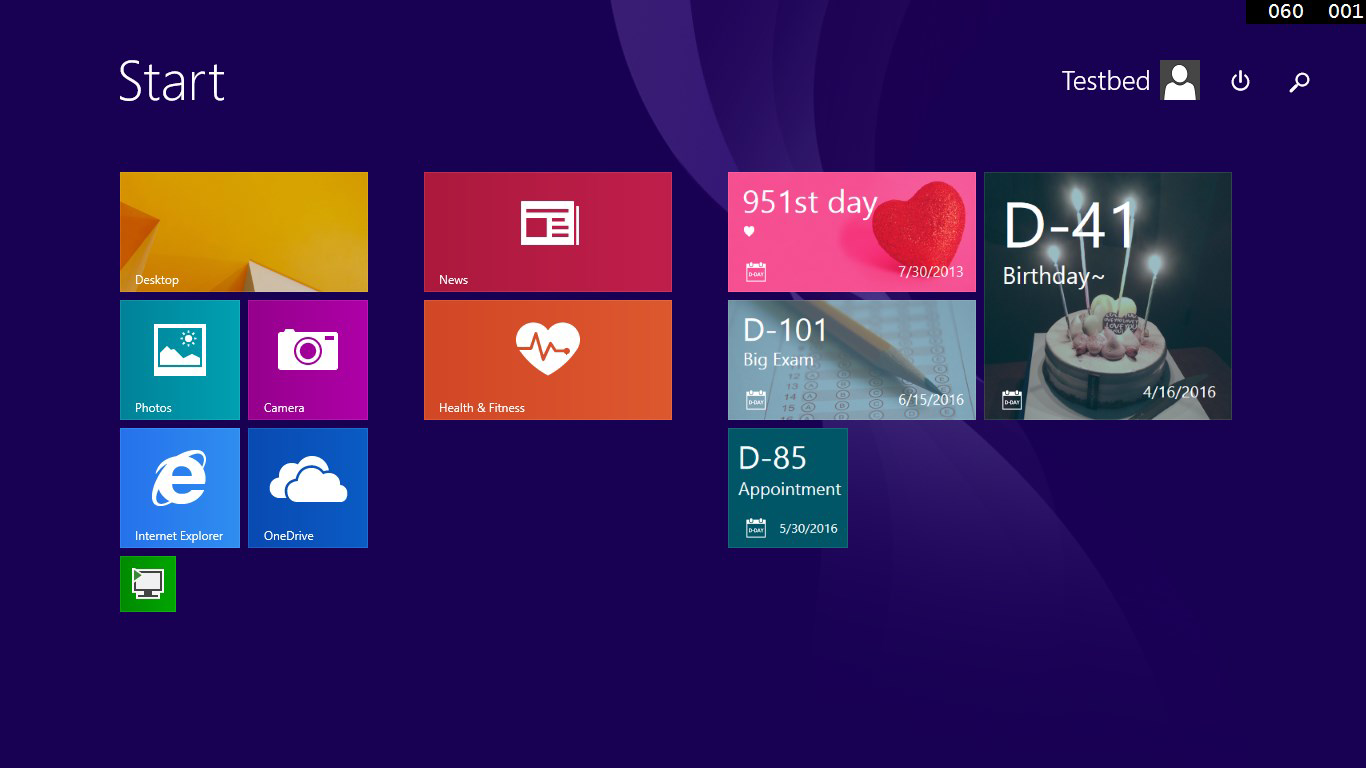
- Customizable Live Tile: The app’s standout feature is its ability to display countdowns directly on the Start Menu through a Live Tile. Users can personalize the tile with different colors and even upload photos, enhancing visual relevance and emotional connection to each event.
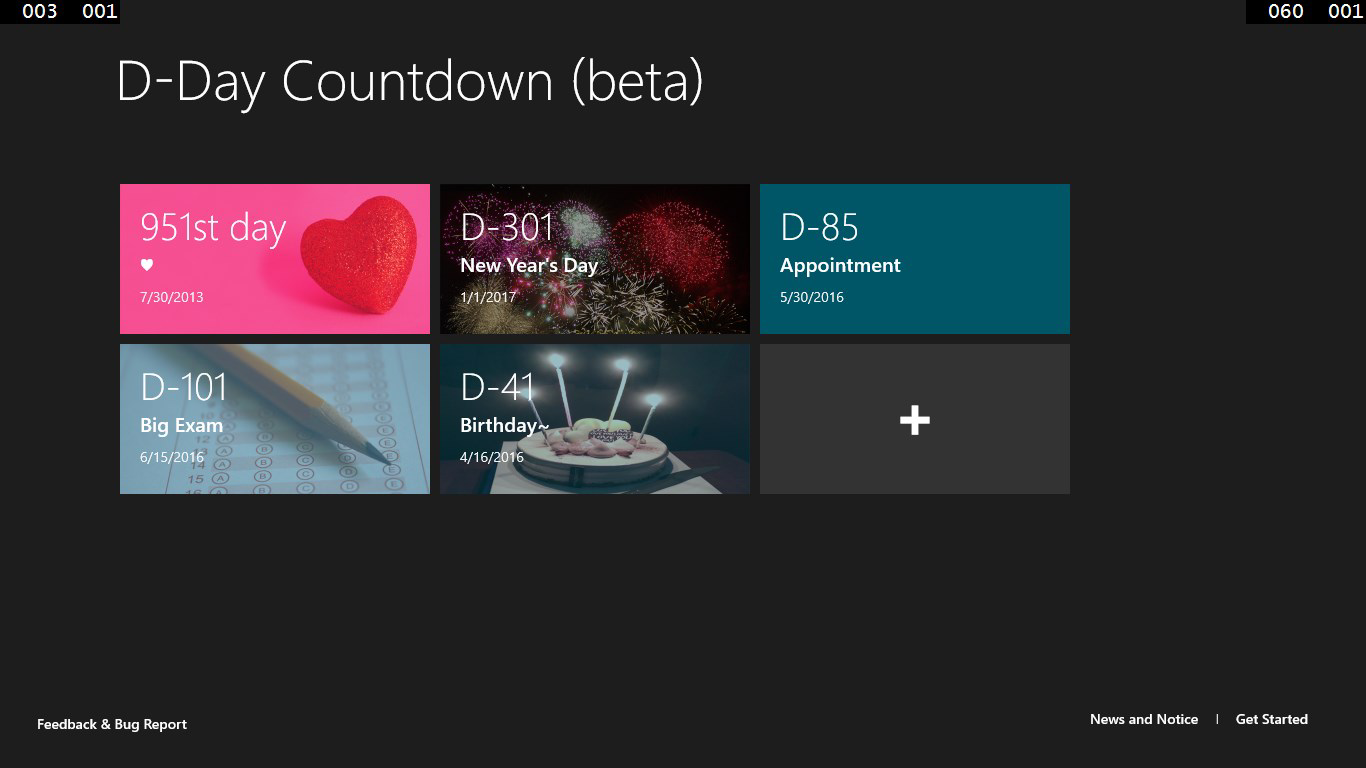
- Multiple Countdown Tiles: The app supports multiple independent countdowns, each represented by its own tile. This enables users to manage several events simultaneously—such as a child’s birthday, a work deadline, and a vacation—without switching between screens.
- Drag-and-Drop Reordering: Tiles can be rearranged by dragging them into a preferred order, allowing users to prioritize events visually. This feature enhances usability by letting users highlight the most urgent or meaningful dates.
- User-friendly Design: With a clean, minimalist interface, the app ensures that even users unfamiliar with digital tools can set up and manage countdowns quickly. The layout avoids clutter, focusing only on essential controls and visual feedback.
For example, a parent could use the app to track their child’s upcoming school event while also monitoring the anniversary of a family member’s passing. The ability to personalize the tile with a photo of the child adds emotional context, turning a simple tool into a meaningful digital keepsake.
Interface, UX & Performance
The app presents a streamlined interface with a focus on clarity and ease of navigation. The layout is organized around a central list of events, each with a clear label and visual indicator. The use of color-coded tiles and minimal text reduces cognitive load, making it accessible across age groups. Navigation is intuitive, with actions like adding a new countdown or editing an existing one requiring only a few taps. Although the developer did not list formal performance metrics, the app’s lightweight nature and consistent behavior across devices suggest stable operation. Users can expect responsive interactions, with minimal lag when reordering tiles or updating event details. The app appears optimized for devices with standard screen sizes and input methods, though specific hardware or OS version requirements were not disclosed. Stability is implied by the app’s long-standing presence in the ecosystem, with no reported widespread crashes or bugs. Overall, the user experience is smooth and purpose-driven, aligning with the expectations of a utility-focused application.
Platform Compatibility & Technical Requirements
D-Day Countdown Pro with Live Tile is designed for Windows-based mobile platforms, specifically targeting devices that support Live Tiles. The app’s file size is not specified in the provided data, but its functionality suggests it is lightweight and optimized for efficient operation. The developer did not specify minimum OS requirements or version compatibility details. As such, users should ensure their device runs a compatible version of Windows that supports Live Tiles, such as Windows 10 Mobile or earlier. The app’s reliance on Live Tile functionality implies it may not be available on newer platforms that have phased out this feature. Compatibility with third-party tools or cloud sync services was not mentioned. Users are advised to check their device’s system capabilities before installation.
Pros and Cons
Pros
- Simple, intuitive interface suitable for all age groups
- Customizable Live Tiles enhance visibility and personalization
- Supports multiple countdowns with independent tiles
- Drag-and-drop reordering for easy prioritization
- Flexible countdown logic (day one or day zero)
Cons
- Developer did not provide specific technical requirements or OS compatibility details
- Platform support may be limited due to reliance on Live Tile technology
- File size and update frequency were not disclosed
- May not be compatible with newer mobile operating systems
- Limited integration with external calendar or cloud services
FAQ
Is D-Day Countdown Pro with Live Tile free to download?
The pricing information was not provided in the available data. Users should check the app store listing for current pricing and availability.
Can I use this app on Android or iOS devices?
The app is designed for Windows-based mobile platforms with Live Tile support. It is not confirmed to be available on Android or iOS devices.
How do I set up a new countdown?
Open the app and select the option to add a new event. Enter the date, choose whether to count forward or backward, and customize the tile with color or image if desired.
Does the app require internet access?
Based on the app’s functionality, it operates offline. No internet connection is required to view or update countdowns.
Can I sync my countdowns across devices?
The developer did not disclose any sync or cloud backup features. Countdowns are likely stored locally on the device.
Final Thoughts
D-Day Countdown Pro with Live Tile delivers a focused, elegant solution for users who value simplicity and visual clarity in date tracking. Its strength lies in the integration of customizable Live Tiles, which bring important events directly to the user’s home screen, reducing the chance of missed dates. While the app lacks modern integrations and may face compatibility challenges on newer systems, its core functionality remains highly effective for its intended purpose. It is ideal for individuals who prefer a lightweight, no-nonsense tool over feature-heavy calendar apps. The ability to personalize tiles with photos and colors adds a meaningful touch, turning a utility into a personal digital space. For those seeking a secure, reliable way to track anniversaries, birthdays, or historical milestones, this app remains a solid choice. Download D-Day Countdown Pro with Live Tile now and keep your most important dates always in view.


